
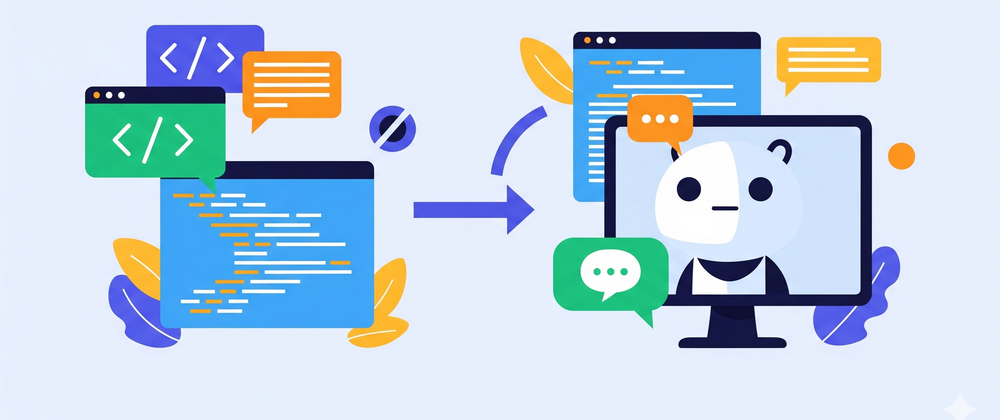

In today's fast-paced digital world, web apps are the backbone of many businesses, offering everything from e-commerce to essential services. As users demand instant gratification and personalized experiences, the need for efficient and effective customer interaction becomes paramount. This is where AI-powered chatbots step in. More than just automated response systems, these intelligent conversational agents can transform user experience, streamline operations, and provide invaluable insights. If you're looking to elevate your web app development solutions, integrating a chatbot is a game-changer.
Why an AI Chatbot for Your Web App?
The reasons to integrate an AI chatbot into your web app are numerous and compelling.
Enhanced User Experience
Imagine a user landing on your web app with a question. Instead of searching through FAQs or waiting for an email response, they can instantly get an answer from a chatbot. This immediate support significantly improves user satisfaction. Chatbots offer 24/7 availability, ensuring that users always have access to assistance, regardless of time zones or business hours. This constant availability fosters a sense of reliability and responsiveness, making your web app more user-friendly.
Cost-Effectiveness
For many businesses, customer support can be a significant overhead. Hiring and training a large support team can be expensive. Chatbots can handle a large volume of routine queries, freeing up human agents to focus on more complex issues. This automation leads to substantial cost savings in the long run. By automating common inquiries, businesses can optimize their resource allocation and reduce operational expenses.
Lead Generation and Qualification
Chatbots are not just for support; they can be powerful sales tools. They can engage visitors, ask qualifying questions, gather contact information, and even guide users through the sales funnel. By identifying warm leads, chatbots can pass them on to sales teams, increasing conversion rates. They can also offer personalized product recommendations based on user interactions, further driving sales.
Data Collection and Insights
Every interaction with a chatbot generates valuable data. This data can be analyzed to understand user behavior, common pain points, and popular queries. These insights can then be used to improve products, services, and the web app itself. Understanding user needs through chatbot data can inform strategic business decisions and product development.
Personalization at Scale
AI chatbots can remember past interactions and user preferences, allowing them to offer highly personalized experiences. This level of personalization can make users feel valued and understood, fostering loyalty. Whether it's tailored recommendations or custom greetings, personalization enhances the user journey.
The Core Components of an AI Chatbot
Building an AI chatbot involves several key components working in harmony.
Natural Language Processing (NLP)
At the heart of any AI chatbot is NLP. This technology allows the chatbot to understand, interpret, and generate human language. NLP helps the chatbot decipher the user's intent from their text input, even if there are variations in phrasing or minor grammatical errors.
- Tokenization: Breaking down text into individual words or tokens.
- Lemmatization/Stemming: Reducing words to their base form (e.g., "running" to "run").
- Part-of-Speech Tagging: Identifying the grammatical role of each word.
- Named Entity Recognition (NER): Identifying and classifying named entities like people, organizations, or locations.
Natural Language Understanding (NLU)
NLU is a subset of NLP that focuses on understanding the meaning and intent behind the user's input. It goes beyond just processing words to grasp the context and purpose of a query. This is crucial for the chatbot to provide relevant and accurate responses. NLU helps the chatbot determine what the user actually wants to achieve with their message.
Natural Language Generation (NLG)
Once the chatbot understands the user's intent and formulates a response, NLG comes into play. NLG is responsible for converting structured data into human-readable text, ensuring the chatbot's replies are natural, coherent, and grammatically correct. It's how the chatbot "speaks" back to the user.
Machine Learning (ML)
ML algorithms are essential for training the chatbot. Through vast amounts of data, ML models learn to recognize patterns, improve their understanding of language, and generate more accurate responses over time. The more data the chatbot processes, the smarter and more effective it becomes. This iterative learning process is key to an evolving, intelligent chatbot.
Dialog Management
This component manages the flow of the conversation. It keeps track of the context, remembers previous turns, and determines the next best action or response. Dialog management ensures the conversation feels natural and logical, rather than a series of disconnected questions and answers. It allows the chatbot to maintain coherence throughout an interaction.
Steps to Building an AI-Powered Chatbot for Your Web App
Building an AI chatbot might seem daunting, but by breaking it down into manageable steps, it becomes an achievable goal for any web development solutions provider.
Step 1: Define Your Chatbot's Purpose and Scope
Before writing a single line of code, clearly define what you want your chatbot to achieve.
- What problems will it solve? (e.g., answer FAQs, qualify leads, provide technical support).
- Who is your target audience? (e.g., existing customers, potential new users).
- What specific tasks will it perform? (e.g., check order status, book appointments, provide product information).
- What are its limitations? (e.g., will it hand off to a human for complex issues?).
A clear scope will guide your development process and ensure the chatbot meets your business objectives.
Step 2: Choose Your Technology Stack
Several platforms and frameworks can facilitate ai chatbot development solutions.
-
Frameworks/Libraries:
- Dialogflow (Google): A powerful, user-friendly platform for building conversational interfaces. It handles NLU and NLM, making it easier to define intents and entities.
- Rasa: An open-source framework that gives you full control over your NLU and dialog management. Ideal for custom and complex chatbots.
- Microsoft Bot Framework: A comprehensive set of tools and services for building, connecting, testing, and deploying intelligent bots.
- Amazon Lex: The same conversational AI technology that powers Alexa, allowing you to build sophisticated conversational bots.
- Programming Languages: Python is a popular choice due to its extensive libraries for AI and machine learning (e.g., NLTK, spaCy, TensorFlow, PyTorch). Node.js is also frequently used for its asynchronous capabilities, making it suitable for real-time interactions.
Your choice will depend on your team's expertise, the complexity of the chatbot, and budget.
Step 3: Design the Conversation Flow (Intents and Entities)
This is a critical step in ai chatbot development.
- Intents: Represent the user's goal or intention (e.g., "Get_Weather," "Place_Order," "Check_Status"). For each intent, you'll provide various "training phrases" that users might say.
- Entities: Are specific pieces of information extracted from the user's input that are relevant to the intent (e.g., "city" for "Get_Weather," "product_name" for "Place_Order").
Map out potential user interactions, create a clear dialogue path, and consider fallback options for when the chatbot doesn't understand.
Step 4: Develop the Chatbot Logic and Integrations
Once the intents and entities are defined, you'll need to write the backend logic that processes these and generates responses.
- Backend Logic: This involves writing code to handle the fulfillment of intents. For example, if the user's intent is "Check_Order_Status," the backend logic would query your database or an external API to retrieve the order information.
- Integrations: Connect your chatbot to your web app's backend systems (CRM, ERP, database, payment gateways) to perform actions like fetching data, updating records, or initiating transactions. These integrations are crucial for the chatbot to be truly functional and impactful within your web app.
Step 5: Train Your Chatbot
This is an iterative process.
- Initial Training Data: Feed your chatbot with a diverse set of training phrases for each intent and examples of entities.
- Testing and Refinement: Rigorously test your chatbot with various user inputs. Identify areas where it struggles to understand or respond correctly.
- User Feedback: Collect feedback from real users to continuously improve the chatbot's performance. The more data and interactions your chatbot has, the smarter it becomes. This ongoing training is vital for an effective and evolving AI.
Step 6: Deploy and Integrate with Your Web App
Once your chatbot is trained and performing well, it's time to integrate it into your web app.
- Deployment: Host your chatbot on a server or a cloud platform (e.g., AWS Lambda, Google Cloud Functions, Azure Functions).
- Front-end Integration: Embed the chatbot widget into your web app. This typically involves adding a few lines of JavaScript to your website. Many chatbot platforms provide ready-to-use embed codes or SDKs. You can customize the look and feel of the widget to match your web app's branding.
- API Connection: Ensure your web app can communicate seamlessly with your chatbot's API, sending user messages and receiving responses.
Step 7: Monitor and Iterate
Building a chatbot is not a one-time project. It requires continuous monitoring and iteration.
- Performance Metrics: Track key metrics like conversation success rate, fallback rate, and user satisfaction.
- User Analytics: Analyze user interactions to identify common queries, areas of confusion, and opportunities for improvement.
- Regular Updates: Based on insights, continuously update training data, refine intents, and improve responses. The digital landscape and user expectations are constantly evolving, so your chatbot should evolve with them.
Best Practices for AI Chatbot Development
To ensure your AI chatbot is a success, consider these best practices:
- Clear Persona: Give your chatbot a distinct personality that aligns with your brand. Is it friendly, formal, witty? This makes interactions more engaging.
- Human Handoff: Always provide an option for users to speak to a human agent if the chatbot cannot resolve their issue. This prevents frustration and ensures customer satisfaction.
- Manage Expectations: Clearly communicate the chatbot's capabilities and limitations to users. Don't overpromise what it can do.
- Security and Privacy: Ensure that all user data handled by the chatbot is secure and compliant with privacy regulations (e.g., GDPR, CCPA).
- Multilingual Support: If your web app serves a global audience, consider adding multilingual capabilities to your chatbot.
- A/B Testing: Experiment with different conversation flows and response styles to see what resonates best with your users.
The Future is Conversational
As AI chatbot development company continue to push the boundaries of conversational AI, these intelligent agents will become even more sophisticated and indispensable for web app development. They will seamlessly integrate into more complex workflows, offer deeper personalization, and predict user needs even before they are explicitly stated.
Investing in an AI-powered chatbot for your web app is not just about adopting a new technology; it's about embracing a future where customer interactions are efficient, personalized, and always available. It's about enhancing your web development services to meet the evolving demands of the digital age. Start your journey from code to conversation today, and unlock the full potential of your web app.


Top comments (0)